Tronlink is a TRON wallet for staking TRX into usable Energy
Self-custody TRON wallet for managing TRX and TRC-20 tokens, with staking tools to obtain Energy for smoother DApp transactions.
Tronlink is a self-custody wallet built around TRON resource management: holding TRX, managing TRC-20 tokens, staking TRX for Energy or Bandwidth, voting in the TRON ecosystem, and connecting to DApps from a browser extension or mobile app. Its strongest angle is practical access to TRON's fee model, where Energy helps execute smart contract transactions and Bandwidth covers basic transfers across the network.
Energy changes the cost of TRC-20 activity
On TRON, token movement is tied to network resources rather than a single gas balance model. A plain TRX transfer consumes Bandwidth, while smart contract actions such as sending USDT as a TRC-20 token consume Energy. When an account lacks enough resources, TRX pays the shortfall. That distinction matters because active users feel the difference during swaps, DApp approvals, liquidity actions, and repeated stablecoin transfers.
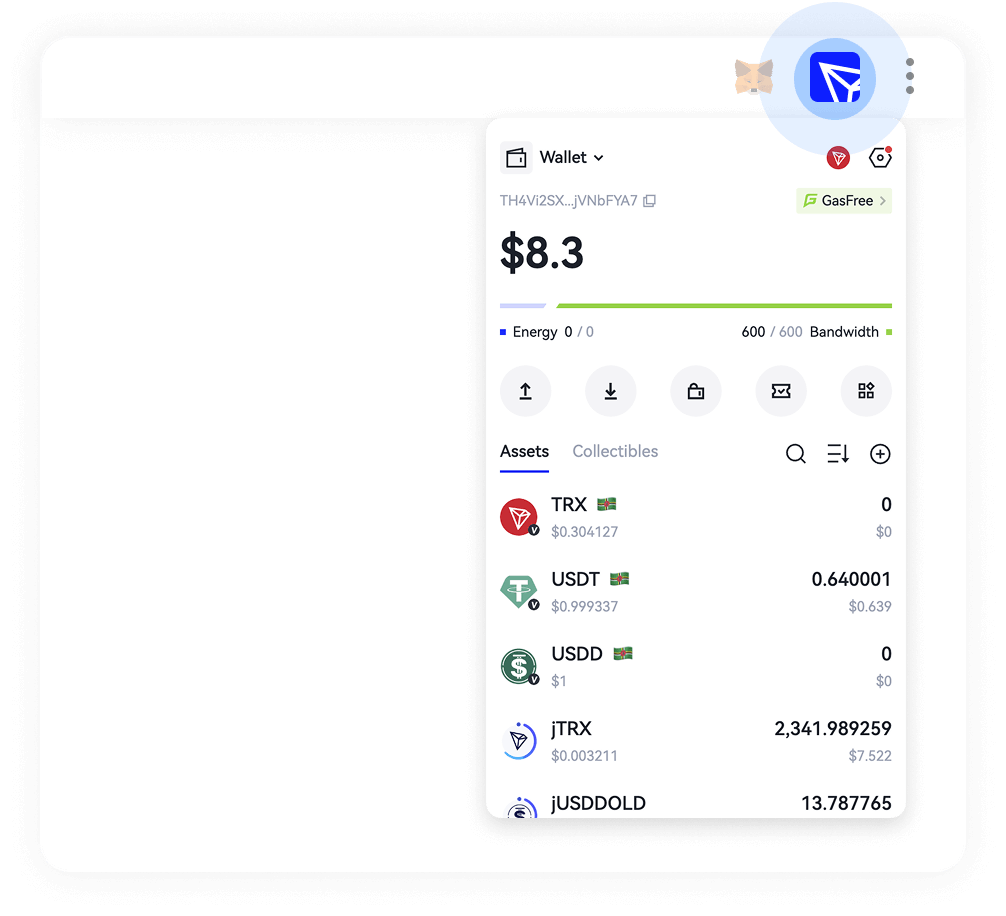
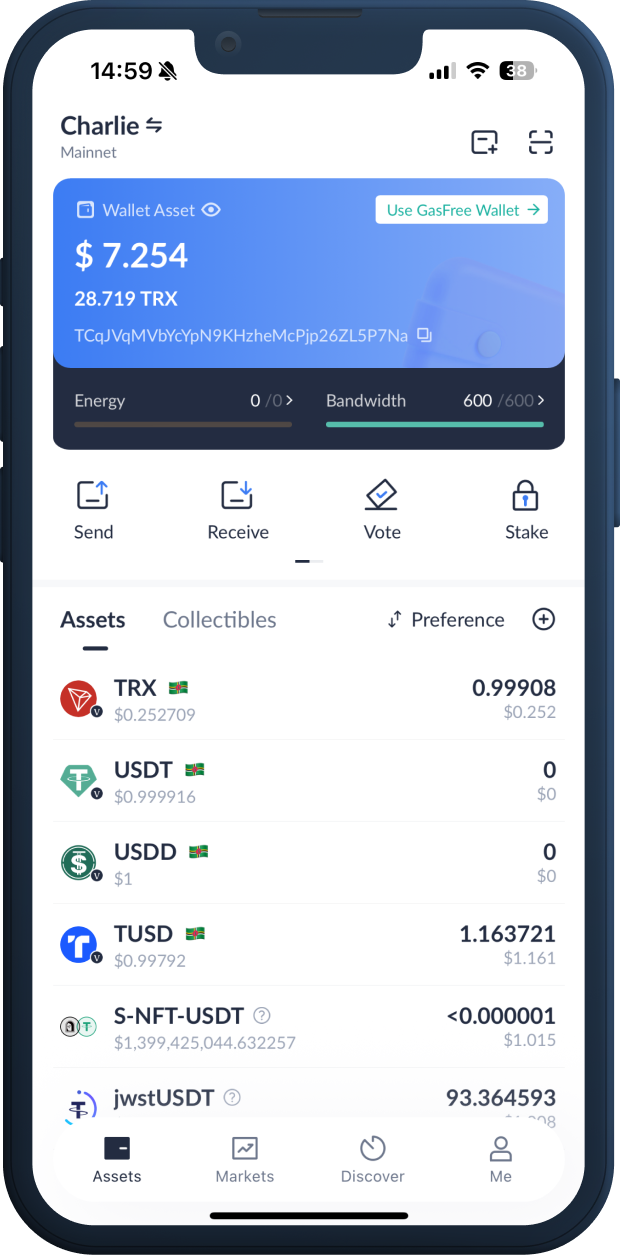
The wallet makes those resources visible beside balances, so the user sees whether a transaction will draw from staked resources or burn liquid TRX. Tronlink is especially useful for people who already live inside the TRON network and want the wallet interface to reflect how TRON actually prices activity.
Where staking TRX fits into the wallet flow
Staking begins with TRX in the account. The user chooses a staking path, assigns the stake toward Energy or Bandwidth, and confirms the transaction from the wallet. Energy suits contract-heavy behavior; Bandwidth suits frequent simple transfers. The choice is not cosmetic, because resource allocation changes which actions become cheaper at the moment of use.
Once staked, the position appears inside the account interface with resource totals and voting-related options. Tronlink also supports resource delegation, so an account with staked TRX can provide Energy or Bandwidth to another address. That feature is valuable for teams, operators, and users who separate long-term holdings from an everyday DApp account.
TRC-20 transfers feel different from ERC-20 transfers
A TRC-20 transfer, such as moving USDT on TRON, calls a smart contract. The user signs the transaction in the wallet, the network checks available Energy, and the action settles against the TRON account. If Energy is available, the transaction consumes the resource. If Energy is short, the transaction consumes TRX as the fee currency.
This creates a different habit from Ethereum-style gas management. The account holder is not only watching a token balance; the holder is also watching resource capacity. Tronlink puts that resource view close to the send, receive, staking, and DApp screens, which makes it easier to understand why two similar transactions produce different fee outcomes.

Using DApps without losing sight of approvals
DApp use starts when a site requests wallet access. The extension or mobile wallet shows the connection request, the account involved, and the action that needs a signature. Contract calls then move through the same confirmation path, whether the user is approving a token, staking through a protocol, buying an NFT, or interacting with a TRON-based exchange.
Approvals deserve attention because they set permissions on tokens held in the account. A swap approval and a transfer signature are not the same action. Tronlink shows signing prompts inside the wallet flow, and users should read the token, contract action, and account before confirming. One specific caution applies here: unlimited token approvals create standing permissions until they are changed or revoked.
Browser extension, mobile app, and account structure
The product covers the two main places TRON users operate: a PC browser extension for web DApps and a mobile wallet for asset management on the move. The official site describes support for HD wallets, one-click wallet creation or import, multiple wallet accounts, Ledger imports through Bluetooth, and both hot and cold wallet patterns for separating signing from storage.
That structure matters when one person uses several roles. A long-term TRX account can remain separate from a daily TRC-20 spending account. A testing account can connect to newer DApps. A hardware-backed account can hold assets while a smaller hot wallet handles routine transactions. Tronlink keeps those account choices inside one wallet environment rather than forcing every action through a single address.
The resource screen is the operating dashboard
The most practical view is not the token list alone. The resource screen tells the user whether the account has enough Energy and Bandwidth for the next action. It also helps explain why a transaction that looked inexpensive last week consumes TRX today: the resource balance, staking allocation, contract complexity, and recent account behavior all affect what the wallet displays before signing.
A useful pre-transaction scan includes a few concrete checks:
- Confirm the active network is TRON before sending TRX or TRC-20 assets.
- Compare available Energy with the type of contract action being signed.
- Keep liquid TRX for resource gaps, account activation, and unexpected fees.
- Check the receiving address carefully, especially for exchange deposits.
- Separate high-value storage from frequent DApp interaction accounts.
Multichain support does not erase the TRON-first design
The extension also supports EVM networks listed by the official site, including Ethereum, BSC, and BTTC. That gives one mnemonic access to multiple chain environments through a multichain HD wallet structure. Even with that coverage, the product's identity remains closely tied to TRON because its resource model, TRX staking, TRC-10, TRC-20, and TRC-721 support shape the day-to-day experience.
Users moving between EVM chains and TRON should treat network selection as a real step, not a background detail. Ethereum and BSC use their own gas currencies and contract conventions. TRON uses TRX, Energy, Bandwidth, and its own account model. Tronlink brings these environments into one interface, but each network still settles transactions under its own rules.
When multisignature control belongs in the setup
Multisignature support is relevant when a single private key is too fragile for the assets being managed. A shared treasury, an operations wallet, or a family-controlled account benefits from requiring more than one signature before assets move. The feature changes wallet use from a single-person action into a defined approval process.
Inside a TRON workflow, multisignature control pairs naturally with staking and resource delegation. One account can hold staked TRX, another account can receive delegated Energy, and approvals can require designated signers. Tronlink gives those advanced users a way to organize authority without leaving the wallet category that everyday TRON users already understand.
Alternatives depend on the chain you use most
A TRON-heavy user needs different wallet features from someone who mainly trades on Ethereum or Solana. MetaMask is the familiar EVM default, especially for Ethereum and BSC DApps. Phantom is built around Solana and its SPL token ecosystem. Trust Wallet covers many assets on mobile, with broad coin support and a consumer-friendly layout.
For TRX staking, Energy, Bandwidth, TRC-20 transfers, TRC-721 collectibles, and TRON voting, Tronlink stays closer to the native mechanics. That does not make every other wallet irrelevant; it means the best wallet choice follows the network where the user signs the most transactions. Someone sending TRC-20 USDT every day gets more value from resource-aware TRON controls than from a wallet designed around another chain's assumptions.
Starting cleanly with a TRON resource plan
A sensible first setup uses one account, a small amount of TRX, and a simple transfer before any complex DApp transaction. After the user confirms that the address, network, and signing flow are familiar, staking a portion of TRX toward Energy turns the wallet into a better match for TRC-20 activity. Keeping some TRX liquid prevents stalled transactions when resources run short.
From there, the workflow becomes routine: receive TRX, stake for the resource that matches the activity, connect only to DApps that need the current account, read signing prompts, and track resource balances after each transaction. Tronlink works best when the user treats Energy and Bandwidth as part of wallet management, not as obscure network trivia hidden behind the send button.
Frequently asked questions about Tronlink
What costs does staking TRX for Energy reduce?
Staking TRX for Energy reduces the amount of liquid TRX spent on smart contract execution, especially TRC-20 transfers and DApp actions. It does not remove every possible cost, because an account still needs enough resources for the specific contract call. When Energy is short, the network uses TRX to cover the remaining transaction cost.
How much TRX should stay liquid after staking for resources?
A user should keep enough liquid TRX for account activation needs, resource gaps, and transactions that exceed available Energy or Bandwidth. The exact amount depends on activity level, especially how often the account sends TRC-20 tokens or signs DApp transactions. Staking every TRX creates friction when the wallet needs spendable TRX for a fee shortfall.
Can one wallet account delegate Energy to another TRON address?
Yes. TRON resource delegation lets an account with staked TRX provide Energy or Bandwidth to another address. This is useful when a storage account holds the stake while a separate daily account interacts with DApps. Delegation keeps the resource benefit available without moving the underlying TRX into the account used for frequent signing.
Does a TRC-20 USDT transfer need Energy or Bandwidth?
A TRC-20 USDT transfer uses a smart contract, so Energy is the key resource for the contract execution. Bandwidth still matters for basic transaction data, but Energy is the resource users notice most with TRC-20 activity. If the account lacks enough Energy, TRX is consumed to pay the network cost.
Which device setup suits frequent TRON DApp use?
A browser extension suits frequent web DApp sessions because connection requests and signature prompts appear beside the site being used. A mobile app suits transfers, balance checks, and on-the-go account management. Users holding larger balances often separate roles by keeping a storage account away from daily DApp approvals and using a smaller account for routine interaction.
What happens if the wrong network is selected before sending tokens?
Selecting the wrong network creates a mismatch between the token, address context, and destination service. TRON assets such as TRX and TRC-20 tokens must move through the TRON network, while Ethereum and BSC assets follow their own network rules. Before sending, the active network and the receiving platform's deposit network should match exactly.